

Close Menu
FlickonclickFlickonclick
    Facebook X (Twitter) Instagram Pinterest
    FlickonclickFlickonclick
    Facebook X (Twitter) Instagram
    Contact Us
    • Home
    • Entertainment
      • OTT
        • Amazon Prime Video
        • Amazon miniTV
        • Amazon MX Player
        • JioHotstar
        • Netflix
        • ShemarooMe
        • SonyLiv
        • ULLU App
        • Zee5
      • Reviews
        • Movie Reviews
        • Web Series Review
      • Cast Salary & Budget
      • Lists
      • Music
      • Box Office Collection
    • Photos
    • Lifestyle
      • Dating & Relationships
      • Fashion
      • Product Reviews
      • Travel
      • Food
    • Technology
    • Wealth
    • Latest News
      • India
      • Global
      • Trending
      • Finance
      • Fitness
    • Biography Corner
    • More
      • About Us
      • Advertise with Us
      • Contact Us
      • Privacy Policy
      • Disclaimer
      • Cookie Policy
    FlickonclickFlickonclick
    Home » Finance » Accidentally Transferred Money to the Wrong UPI ID on PhonePe, GPay, or Paytm? Here’s How to Recover It
    Finance

    Accidentally Transferred Money to the Wrong UPI ID on PhonePe, GPay, or Paytm? Here’s How to Recover It

    By Virat VermaDecember 10, 2024
    Facebook Twitter WhatsApp Email
    Accidentally Transferred Money to the Wrong UPI ID on PhonePe, GPay, or Paytm? Here's How to Recover It

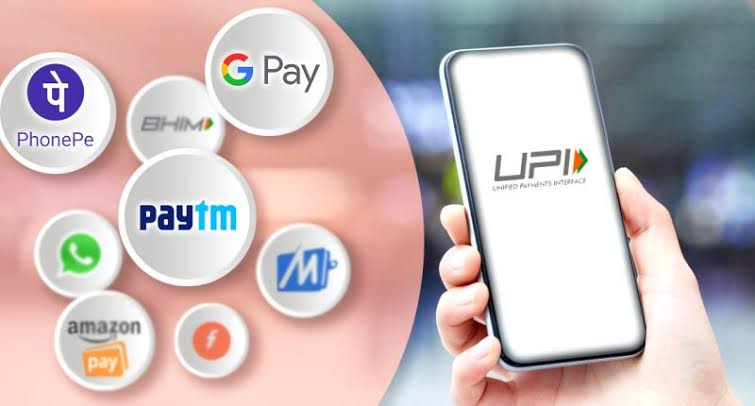
    With the increasing use of digital payment platforms like PhonePe, Google Pay, and Paytm, accidental transfers to the wrong UPI ID have become more common. If you’ve made such a mistake, there’s no need to panic. Here’s what you can do to recover your money:

    1. File a Complaint with the Payment Platform

    Start by reporting the issue on the platform where the transaction occurred. Apps like PhonePe, GPay, and Paytm have a ‘Help’ or ‘Support’ section where you can submit details such as the transaction ID, recipient’s UPI ID, and the transfer amount. These platforms have dedicated teams to address such issues promptly.

    2. Use the NPCI Dispute Redressal Mechanism

    If your complaint isn’t resolved by the app, escalate it to the National Payments Corporation of India (NPCI). Visit their website and navigate to the ‘Dispute Redressal Mechanism’ section. Fill out the form with details like the transaction ID, virtual payment address, transaction amount, and date. Attach a bank statement as proof of payment. This step strengthens your case.

    Add Flickonclick as the preferred Google News source

    3. Contact Your Bank or Payment Service Provider (PSP)

    If NPCI can’t resolve the issue, approach your bank or the PSP linked to your payment app. Provide the details of the incorrect transaction, and they will investigate further. Banks and PSPs are required to keep you updated on the status of your complaint via their apps or official communication channels.

    Also Read- Flipkart-backed Super.money Launches FD on UPI: Will It Offer Higher Returns Than Small Finance Banks?

    4. Approach the RBI Ombudsman for Digital Transactions

    If your issue remains unresolved for 30 days or the resolution is unsatisfactory, you can escalate your complaint to the RBI Ombudsman for Digital Transactions. File your complaint with the office in the jurisdiction where your bank or payment platform is located. Ensure you have all necessary documentation, including emails, bank statements, and responses from NPCI.

    Tips to Prevent Future Errors

    To avoid similar mistakes, always double-check UPI IDs before confirming transactions. Save frequently used contacts to reduce the chances of manual errors. You can also use the ‘Request Money’ feature to ensure the recipient’s UPI details are accurate.

    Patience is Key in Recovering Money

    Recovering money transferred to the wrong UPI ID requires a structured but time-consuming process. By following the steps outlined above and keeping clear communication with all involved parties, your chances of success improve. Stay vigilant when making digital transactions and act quickly if you make an error.

    UPI App
    Previous Article87 Roads Closed in Himachal Pradesh Due to Snowfall in Shimla and Manali
    Next Article Delhi Metro’s Red Line to Extend to Kundli in Haryana: Full List of 21 Stations
    Virat Verma

      As Senior Head Writer at Flickonclick, he specializes in news coverage across entertainment, sports, and trending topics. With years of experience in digital journalism, he focuses on delivering timely and accurate stories that are easy to understand. His approach to writing is straightforward—breaking down complex news into clear, engaging content that keeps readers informed. Whether it's breaking entertainment updates, sports highlights, or trending headlines, he ensures every article is well-researched and reader-friendly.

      Related Posts

      Finance November 20, 20252 Mins Read

      UPI Credit Line: Big Banks Set to Offer New Credit Facility

      India September 25, 2025Updated:February 16, 20262 Mins Read

      Now Make Payments at Shops with Just Your Fingerprint, Proxgy Launches ThumbPay

      Finance July 24, 20252 Mins Read

      UPI Goes Global: Indian Users Can Now Make Cross-Border Payments via PayPal

      Finance July 23, 20252 Mins Read

      Big Changes Coming to UPI from August 1 – Balance Check to Auto Payments, Everything Will Change

      India March 25, 2025Updated:February 16, 20262 Mins Read

      From April 1, UPI Will Stop Working for These Users – Applies to Google Pay, Paytm, PhonePe

      India March 10, 2025Updated:February 16, 20262 Mins Read

      You Can Set UPI PIN Without a Debit Card – Here’s How

      India March 5, 2025Updated:February 16, 20262 Mins Read

      UPI Users Alert: Banks to Remove These Mobile Numbers from 1 April 2025 – Know NPCI’s New Rules

      India July 25, 2024Updated:February 16, 20262 Mins Read

      UPI One World Wallet Launched: International Travellers Can Now Make UPI Payments in India- Know How to Use

      Latest Articles

      100 Tinder Bio Ideas That Actually Get Matches

      February 20, 2026

      Do Deewane Seher Mein Review: Siddhant Chaturvedi and Mrunal Thakur Bring Realism to Modern Romance

      February 20, 2026

      Assi Movie Review: Taapsee Pannu and Kani Kusruti Shine in a Disturbing Courtroom Drama That Demands to Be Heard

      February 20, 2026

      10 Best Knee Supports For Pickleball Players: Because Quick Moves Need Strong Knees

      February 20, 2026

      7 Best Education Loans for MBA Students in India with Lowest Interest Rates

      February 20, 2026

      14 Types of Healthy Dosas for a Nutritious Indian Diet

      February 19, 2026

      10 Best Dating Apps for 40+ to Find Love Again

      February 19, 2026

      Nissan Gravite 2026 Launched in India: Price, Specs, Variants, Features, and Other Details

      February 19, 2026

      Top 10 Apps Like Booking.com for Cheap Hotels

      February 19, 2026

      14 Best Sports Movies on JioHotstar You Should Watch Right Now

      February 19, 2026
      About Flickonclick

      Flickonclick brings you the latest updates across entertainment, lifestyle, tech, and more. Stay informed with trending news and stories that matter.

      Facebook X (Twitter) Instagram
      Latest Articles
      • 100 Tinder Bio Ideas That Actually Get Matches
      • Do Deewane Seher Mein Review: Siddhant Chaturvedi and Mrunal Thakur Bring Realism to Modern Romance
      • Assi Movie Review: Taapsee Pannu and Kani Kusruti Shine in a Disturbing Courtroom Drama That Demands to Be Heard
      • 10 Best Knee Supports For Pickleball Players: Because Quick Moves Need Strong Knees
      Important Links
      • About Us
      • Advertise with Us
      • Contact Us
      • Cookie Policy
      • Disclaimer
      • Home
      • Privacy Policy
      • Terms & Conditions
      © 2025 Flickonclick. All Rights Reserved

      Type above and press Enter to search. Press Esc to cancel.